
Filament Deals
-
Score
-
Score
-
Score
-
Score
-
Score


BETA: Welcome to our first public beta. This section has been tested internally, but it is still new and may have issues we haven’t caught. Features, appearance, and behavior may change as we refine it.
Filament Deal Guide
Welcome to the new and improved filament section.
We’ve refined this section to help you find better filament deals, compare prices more easily, and spend less time sorting through offers that don’t fit your needs. Alongside the familiar prices and discounts, you’ll find price/kg comparisons, more useful filters, and our own Deal Score.
Guide updated September 10, 2026Top Filter Panel
Choose Your Source
Use the switch to choose PFD for manually posted deals, Feeds for feed-sourced deals, or all to see both.
Deals Found Today
Shows today’s deals only.
Combine Today with your source, sorting, and filters. For example, choose Feeds, turn on Today, and sort by Price/kg to browse today’s lowest unit prices. On smaller screens, the button shows only the word Today or a calendar icon.
Choose How to Browse
| Dropdown option | What it shows |
|---|---|
| Overview | A selection of PFD posts and feed deals, grouped by score, price, and more. This is the default view. |
| Newest | The latest newly found or meaningfully changed deals. |
| Score | Our own scoring system’s strongest deals first. More on how to read the score below. |
| Price | The lowest-priced items first. Check the quantity and total weight when comparing packages. |
| Price/kg | The lowest calculated cost per kilogram, where that information is available. Useful for comparing spools, multipacks, and larger bundles. |
| % Drop | The largest percentage reductions from the comparison price. The type of comparison price matters, too. |
| Expiring | Deals with recorded expiration dates, nearest first. Not every deal has an expiration date. |
| PFD Picks | Deals handpicked by PFD. These are editorial selections, separate from the calculated score. |
| Hot | Deals sorted by community vote count, highest first. |
Fine-Tune Your Selection
Open Filter to narrow the results:
| Control | What it does |
|---|---|
| Search | Searches the deals in this grid, rather than the whole site. Use product keywords or an Amazon ASIN. A comma-separated ASIN list can bring up a custom selection. |
| Material | Choose PLA, PETG, ABS, ASA, Nylon, TPU, or another available material. |
| Brand | Narrow the results to available brands. |
| Store | Choose where the deals are sold. |
| Deal Type | Look for coupons, promotions, Lightning Deals, Limited Time Deals, and other available offer types. |
| Features | Browse broader groups of specialty filaments, explained below. |
| Range | Set ranges for purchase price, percentage drop, total weight, or price/kg. |
You can combine these controls. For example, select PLA, set the price to $10-$15, and set the drop to 30-50% to find offers matching all three conditions. Other active filters still apply to a search.
Show deals applies your selections. Cancel closes the filter window without applying your changes. Clear all clears the selections in the window; choose Show deals to apply that reset. Today stays as it was.
The reset icon in the top toolbar clears Today and the modal filters together, returning the grid to its default view.
What the Feature Filters Mean
Features group similar products into a manageable set of browsing categories. They are separate from material filters, and a product can belong to more than one feature group.
Explore all 9 feature groups
| Feature | What you will usually find |
|---|---|
| Enhanced | Modified or upgraded grades described as Plus, Pro, Ultra, Premium, Tough, or Enhanced, along with RFID-enabled filament. |
| High Speed | Products specifically sold as High Speed, Rapid, Hyper, High Flow, or HF. A general claim that ordinary filament prints quickly does not automatically put it here. |
| Co-Extrusion | Two or more colors combined in the same filament strand, including dual-color, tri-color, and quad-color filaments. |
| Gradient | Rainbow, gradient, color-changing, chameleon, and ombre products that transition between colors. |
| Novelty | Decorative finishes such as silk, matte, glitter, sparkle, glow, luminous, fluorescent, neon, wood, marble, stone, galaxy, and metallic. |
| Transparent | Transparent, translucent, clear, or see-through filament. |
| Engineering | Reinforced and technical products, including carbon fiber/CF, glass fiber/GF, lightweight or foaming grades, Nylon/PA, PC, ASA, PVA, PEEK, PEI, PPS, PAHT, and PPA. |
| Color Bundle | Packs containing separate spools or rolls in different colors. A single co-extruded or gradient spool is not a color bundle. |
| Pretty Colors | Decorative color families such as pastel, lavender, lilac, pink, purple, magenta, mint, aqua, teal, turquoise, peach, coral, champagne, pearl, and rose. |
These are browsing groups, not performance certifications. Some detailed descriptions are folded into them to keep the list manageable: look under Novelty for Silk or Matte, and Engineering for Carbon Fiber or Glass Fiber.
Deal Score
To help identify better deals, we’ve created a scoring system of our own. It starts with a target price for each item, using a combination of our own price and deal history, covering up to 90 days, and historical pricing information from Amazon and other third-party sources.
The score then weighs the current deal against that target, along with its price drop, brand reputation, and freshness. The aim is to surface fresh deals with strong prices from reputable brands, rather than simply putting the largest advertised discount first.
Higher scores generally indicate stronger deal value based on the available information. Deal Score evaluates the offer, not whether the filament is right for your printer or project. It is not a product star rating or a discount percentage.
Reading the Score Chips
The number over the grid image is the overall score. Inside a product card, you may also see the contributing signals:
| Chip | What it means |
|---|---|
| SCORE | The overall deal ranking, combining the pricing, reputation, and freshness signals. |
| HIT | A bonus for meeting the item’s target price. A zero means the target was not met; it does not automatically mean the price is poor. |
| DROP | Credit for the price reduction, adjusted for the type of comparison price, such as Typical versus List. This is a score contribution, not the discount percentage shown in the price line. |
| HIT % | How the effective price compares with the target, used as a modifier. Positive means the deal beat its target; negative means it remains above it. |
| BRAND | A reputation modifier informed by review ratings, customer feedback, and other supporting information. It is not a star rating or a percentage of satisfied customers. |
| FRESH | A sliding score multiplier, shown as a percentage, that helps newer deals stand out. |
| SELLER | A percentage modifier for seller pricing and reliability patterns. This chip appears very rarely, only when a seller adjustment applies. |
Not every post has every component. A missing value is different from zero, and the displayed components should not be assumed to be a simple sum of equally weighted numbers.
FRESH – Deal Freshness
Freshness applies a sliding multiplier to the score. New or newly reduced deals receive a proportional boost, which decreases as the deal ages and can eventually become a penalty.
Freshness follows the current deal, not simply the last page refresh. A meaningful price reduction can make an existing item a new deal again; a price increase does not earn a freshness boost.
A negative FRESH value does not mean the deal has expired or is poor value. An older deal can still score well when its other signals are strong.
The score-component colors identify different parts of the score. They are a separate legend from price and offer colors: a colored score component does not mean that a coupon has been applied or identify a comparison-price type.
Grid Cards
Where to Click and What to Read
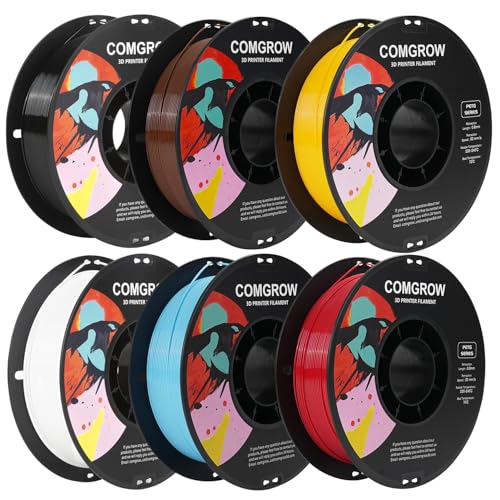 24
24COMGROW PETG Multicolor 6 Pack (6 Colors), 6x1kg
- Image or title: opens the deal’s post for more detail.
- Price line: shows the current price and available comparison information. On desktop, single-price offers also provide a “Go to store” shortcut when you hover over the price area. On mobile and tablet, or for ranged-price offers, open the product post to access the store links.
- Score over the image: the overall Deal Score, when available.
- Material and store row: tells you what the deal contains and where it is sold. Multiple materials can appear; a
+2means two additional material labels, not two additional spools. - Bottom row: shows the source, community thumbs, and timing information. A refresh time is not necessarily when the current deal was found.
Manual posts can be lighter on statistics than feed-sourced posts. Their missing fields should not be read as a negative rating.
Typical Versus List Price on Amazon
These are different kinds of price comparison, and we treat them differently in both scoring and presentation.
Typical Price is based on prices customers actually paid on Amazon over a recent period. List Price is a suggested retail reference supplied by a manufacturer, supplier, or seller. Amazon applies validation rules to reference prices, but List and Typical are still not the same measure.
Check Amazon’s price history on the product page, where available, to compare the current price with past prices.
| Price-line indicator | How to read it |
|---|---|
| Typical comparison | The discount and old-price chips use the Typical treatment. |
| List / Was comparison | The grid uses a separate treatment for these comparison labels, keeping them distinct from prices explicitly identified as Typical. |
| Price/kg | A separate unit-price treatment identifies cost per kilogram rather than an old price. |
On the larger product card, some of these values appear as colored text on white instead of white text on a filled chip. The meaning stays the same.
Price/kg
Price/kg appears to the right of the purchase price when available, replacing the old-price field in the grid. It helps compare value across different quantities, especially larger bundles.
For a standard 1kg item, the purchase price already gives you the cost per kilogram, so the card does not repeat it in a separate unit-price chip. The old price can occupy that space instead, when available.
For example, a $16 bundle containing 2kg costs $8 per kg. The compact grid notation can look like $8/2KG; the larger product card can show $8 (2kg). In both cases, $8 is the per-kilogram amount and 2kg is the total quantity. The whole bundle still costs $16.
On a narrow card, the KG letters may be shortened away to make room. The values keep the same meaning. A missing price/kg value does not, by itself, mean the deal is poor or that the item has no weight.
Deal Badges and Purchasing Conditions
The most important distinction is between a saving already included in the displayed price and an additional offer you may be able to use.
| Badge | What it means |
|---|---|
| AFTER COUPON | The displayed price already includes this saving. You may still need to claim the coupon, enter the code, or meet the stated conditions. Do not subtract it a second time. |
| SAVE 8% ON 2 ITEMS | An offer not included in the displayed single-item price. It may require multiple eligible items or another action. |
| PRIME EXCLUSIVE | Check the Prime eligibility requirement for the displayed offer. |
| ⚡ LIGHTNING DEAL | A time-limited offer. Check remaining availability at the store. |
| LIMITED TIME DEAL | A merchant-designated limited-time offer. The label alone is not a measure of how good the price is. |
| S&S | Subscribe & Save information. Check subscription terms and eligibility; do not assume it stacks with every other offer. |
| LOWEST PRICE IN 30 DAYS | A reported recent-price comparison for the stated period, not a claim of the lowest price ever. |
On the inner product card, the applied-offer treatment also appears on the discount when the price includes the stated coupon, promotion, or code. The reference-price label still tells you what that reduction is compared with.
Common Questions
Why can a large discount have a modest score?
The reference price may make the advertised reduction look stronger than the actual value. The effective price, target, available evidence, and freshness also matter.
Why can a small discount still score well?
An item can already be competitively priced. Reaching a strong target price may be more useful than a dramatic advertised percentage.
Why did the score change when the price did not?
Price is not the only input. Freshness and supporting information can change. A lower freshness contribution does not mean the offer has expired.
Does the highest score mean the best filament for me?
No. Material, printer compatibility, color, finish, quantity, and your own experience still matter. Compare the deal and the product separately.
Why is a shared selection different now?
Deals can expire, availability can change, or an item can become a new deal. A link restricted to a particular date keeps that date, but it is not a frozen snapshot of the products. A daily feature can deliberately roll forward each day.
What if the store shows a different price?
Prices, coupons, codes, and eligibility can change between updates. Confirm the final price, quantity, shipping, and any requirements at the store before buying. If a listed code no longer works, please report the deal.